Music School Scheduler
Your whole music school in one calendar
An app for running a music school: one calendar for every studio, your students and teachers, attendance, invoices and payments, teacher pay, and your profit month by month. Students see their lessons and bills, and everyone gets notifications on their phone.
Get startedFree for schools with up to 15 students. No card needed to start.
A look inside
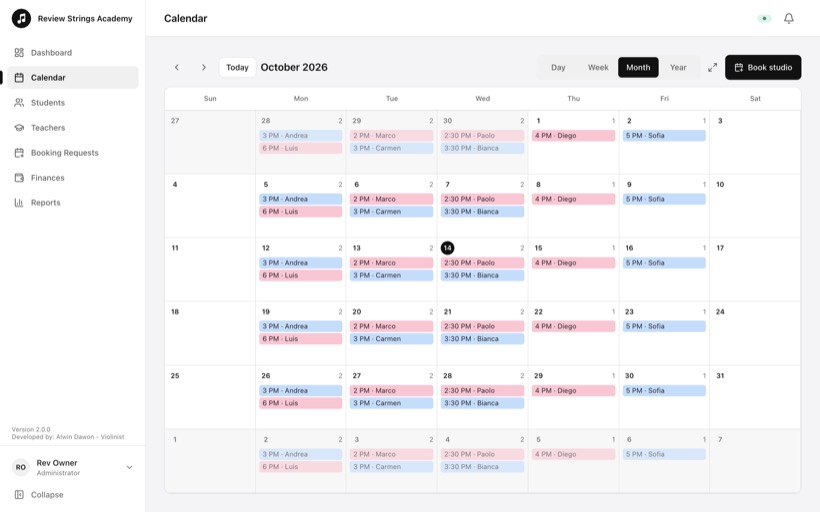
See how your school day runs
These are the app's own screens.
Scheduling
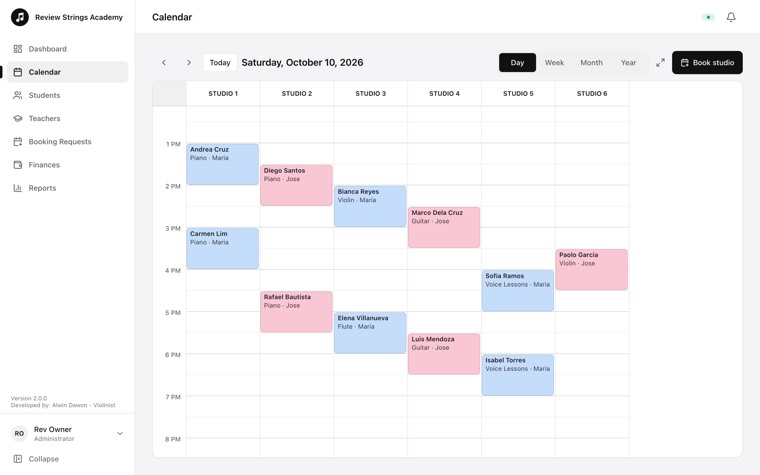
Your day, studio by studio
The Day view puts every studio side by side, hour by hour. You see at once which studios are busy and which are free.
- Lessons coloured by teacher
- The same studio or teacher can't be booked twice
- Switch to week, month or year in one tap
Students
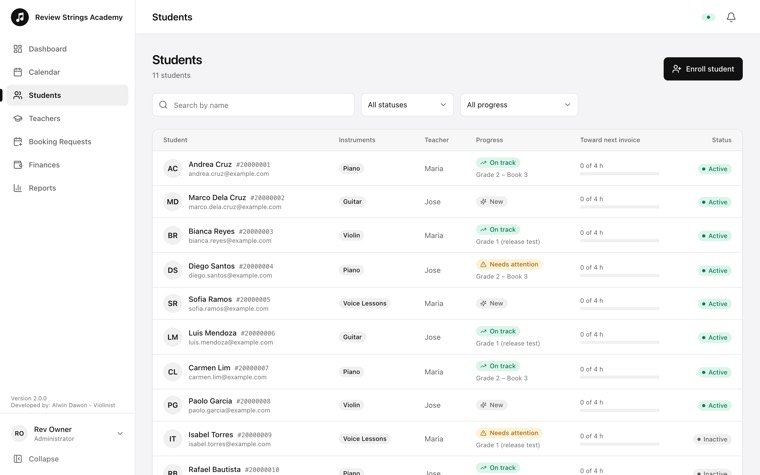
Every student and where they stand
Enroll a student once. See their instrument, teacher and progress, and how close they are to the next invoice.
- Search and filter by status or progress
- Each student gets a Student ID to sign in with
- “Ready to bill” appears when a student's lessons are used up
Billing
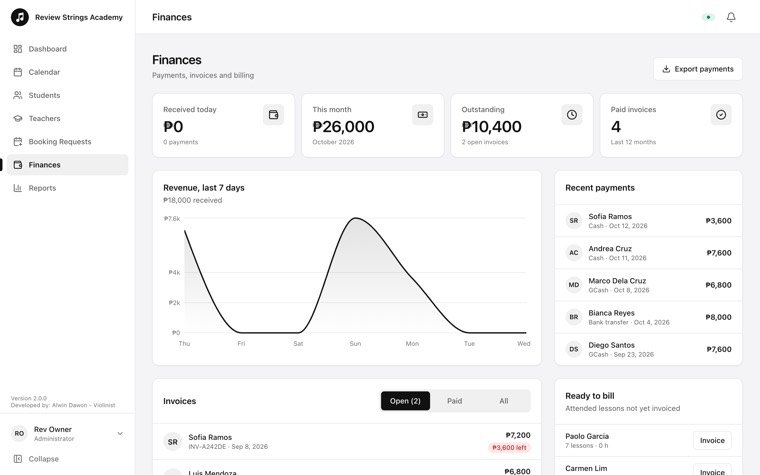
Know what came in and what is still owed
Invoices are made from the lessons a student took. Record a payment in a few taps, and the totals update.
- Received today and this month
- Outstanding invoices at a glance
- Export payments for your records
Reports
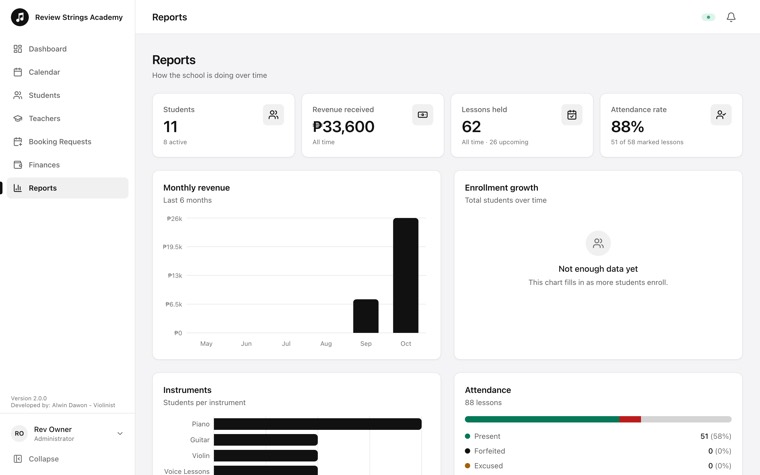
See how the school is doing over time
Track students, lessons held, attendance and revenue without building a spreadsheet.
- Monthly revenue
- Enrollment growth
- Attendance rate across all lessons
Student portal
Students and parents check for themselves
On any phone, they see their next lesson, their attendance and what is due. That means fewer messages for your front desk.
- Ask for a lesson time
- Cancel within the school's rules
- Add it to the home screen like an app
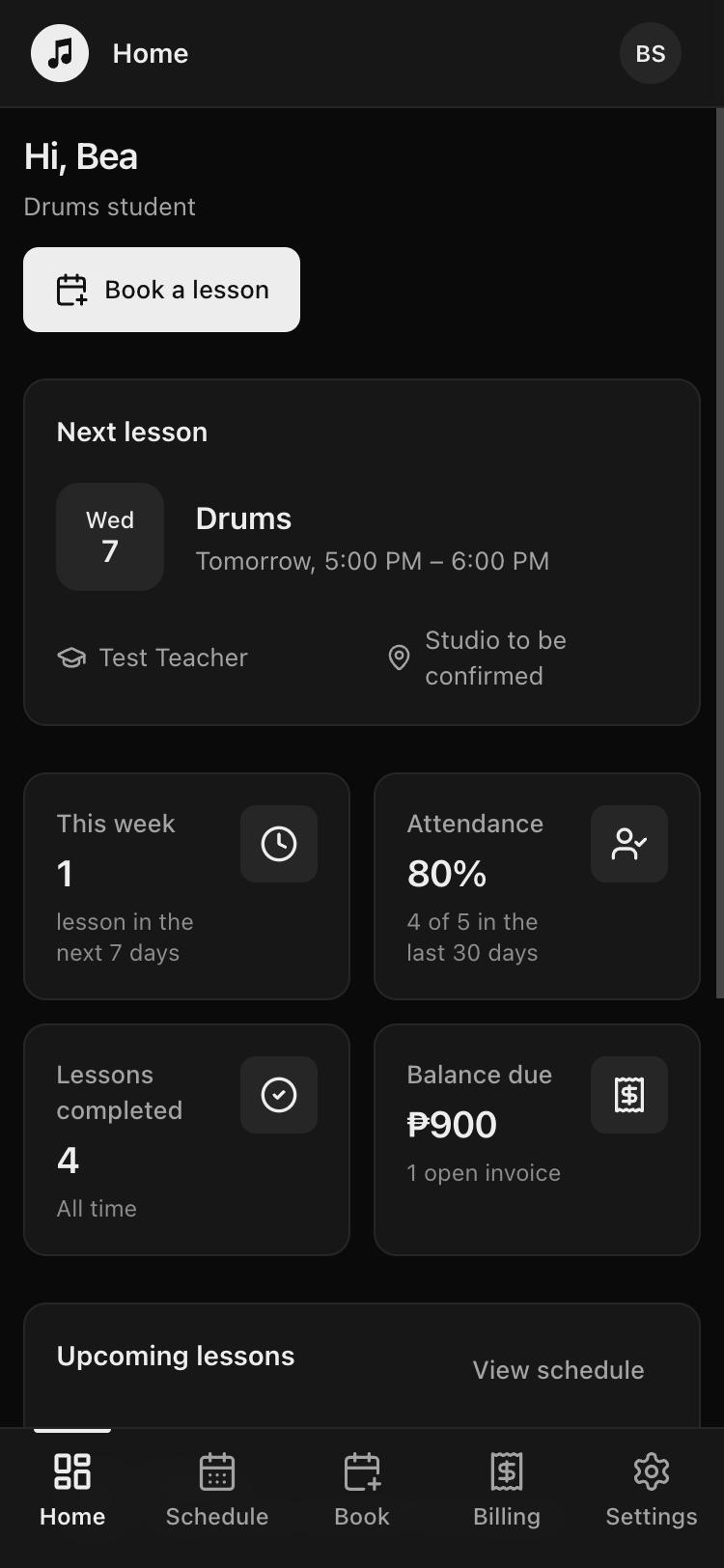
These screens show sample data, not a real school's students.
What it does
Everything a music school runs on
From the first enrollment to the monthly invoice, all in one place that your whole team shares.
Scheduling
Day, week, month and year calendars across all studios. The same studio or teacher can't be booked twice at the same time.
Students and teachers
Enrollment and a waitlist, contact details, each teacher's classes and weekly hours, and each student's progress.
Attendance
Mark each lesson and see a student's recent record at a glance.
Billing
Invoices for lessons taken, payments and credit, with reminder emails for lessons and overdue invoices.
Student portal
Students and parents see their schedule and bills, ask for lesson times and cancel within the school's rules.
More than one location
Branches, each with its own studios, on the Max plan.
Teacher pay
Each teacher's rate per instrument and for group lessons, pay worked out from the lessons they taught, and paid weeks on record. Teachers send pay invoices from the app.
Profit and expenses
Money in and money out for each month: student payments against teacher pay, rent, utilities and other costs. See if the school is growing.
Notifications
Booking requests, payments and lesson changes arrive on staff phones, even when the app is closed. Install it on the home screen like any app.
Who it's for
A view for everyone at the school
Music schools and teaching studios of any size. Each person signs in and sees what they need.
Owners and admins
- One calendar for every studio
- Invoices, payments and reports
- Teacher pay, expenses and monthly profit
- Booking requests from students
Teachers
- Today's lessons and their own classes
- Attendance in a tap
- Weekly hours and student progress
- Their rates, their pay and pay invoices
Students and parents
- Their schedule on any phone
- Bills and what has been paid
- Ask for a lesson time or cancel on time
Plans
Start free. Grow when you need to.
Every plan has the same tools. Choose by the number of active students you teach. Branches come with Max.
Prices are in Philippine pesos, paid monthly. Paid plans are paid online through PayMongo (GCash, Maya, card, QR Ph) or by GCash or bank transfer; nothing is charged automatically. Stop at any time by moving back to Free. Details are on the Pricing page.
Getting started
Set up your school in three steps
Email us your school's name
Write to alwin@violinist.live. We'll create your school on the Free plan.
Accept the invitation
Your school's administrator gets an email invitation to sign in and set a password.
Add studios, teachers and students
Book the first lessons. Move to a bigger plan later in Settings when you have more students.
Already have an account? Sign in.
Ready when your school is
Free for schools with up to 15 students, for as long as you like.
Email us to start